How To Migrate a Website Without Losing Rankings

A website migration is any change significant enough that Google has to re-learn your site: a new platform, a new domain, a new URL structure, a redesign that rewrites the templates, or a consolidation of two sites into one. Rankings do not drop because migrations are inherently dangerous. They drop because the signals Google spent years attaching to your old URLs were not carried across to the new ones, and by the time anyone notices, the evidence of what those signals were has usually been deleted along with the old site.
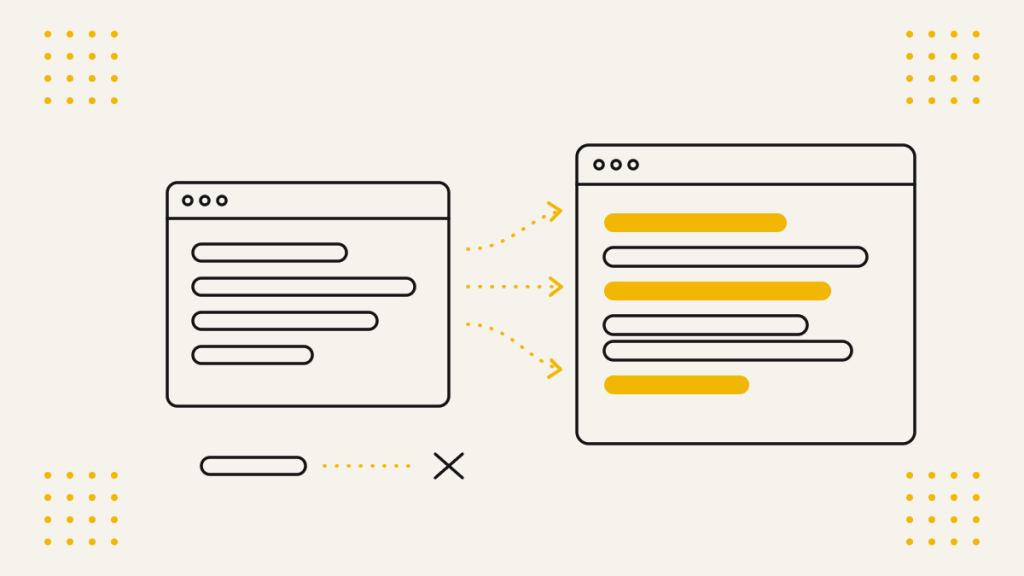
That is the thing to understand before anything else. Almost every serious migration loss is a preventable data problem rather than an SEO one. The old site held a set of URLs, each with its own links, rankings, internal link equity, metadata and history. If you cannot produce a complete list of those URLs and say where each one now lives, you are not migrating a website, you are launching a new one and hoping.
This guide covers what we do on every migration we run: how our SEO team benchmark the current site before anyone touches anything, the checklist we work through, the redirect and URL decisions that cause the most damage when they go wrong, the canonical and internal linking problems that hide for weeks, and how tracking gets rebuilt so you can actually prove what happened.
Start by deciding what kind of migration you are
Not all migrations carry the same risk, and the plan should be sized to the type rather than run at one setting for everything.
| Migration type | What changes | Risk level |
| Design or template refresh | Look and layout, URLs unchanged | Low to moderate |
| Platform change | CMS, templates, often URL patterns | High |
| URL structure change | Paths and hierarchy, same domain | High |
| Domain change | Hostname, everything inherits | High |
| Protocol or hostname change | http to https, www to non-www | Moderate, often underestimated |
| Consolidation | Two or more sites merged into one | Highest |
| Rebuild with all of the above | Everything at once | Highest, and hardest to diagnose |
The last row is the one to be honest about. Changing platform, domain, URL structure and content in a single release is common in practice, because a business rarely gets budget to rebuild twice. It is survivable, but it removes your ability to isolate a cause. If traffic falls three weeks later, you will not know whether it was the redirects, the thinner content, the slower templates or the lost internal links, and you will end up fixing all four while the losses continue.
Where the timeline allows, separate the changes. Move the platform first with URLs held identical, let it settle, then change the structure. Where it does not allow, accept that the monitoring burden after launch is considerably heavier and plan the resource for it.
Useful tip: A redesign that keeps every URL is still a migration. Templates carry headings, internal links, schema and copy, and a rebuild that halves the word count on every page will cost you rankings even though nothing moved. Treat any change to the templates as a content change, not a cosmetic one.
Benchmark the current site before anything is touched
This is the first thing we do on any migration, and it is the step most often skipped because it produces nothing anyone can look at. It is also the only thing standing between you and an unrecoverable loss, because once the old site is gone, most of this data is gone with it.
We take a full snapshot covering:
A complete crawl of the live site. Every URL with its status code, title, meta description, H1, canonical, indexability, word count, internal link count and depth from the homepage. This becomes the master reference for the redirect map and the metadata transfer, so it needs to be complete rather than a sample.
Every URL Google actually knows about. The crawl finds what is linked. It does not find orphaned pages, old campaign landing pages, or URLs that still earn traffic while being linked from nowhere. Those come from Search Console performance data at page level, GA4 landing page reports, the XML sitemaps, server log files where available, and the backlink profile. Merge all of it. A URL earning links or traffic needs a destination even if nobody internally remembers it exists.
Current performance, page by page. Sixteen months of Search Console data exported at page and query level, organic sessions and conversions by landing page from GA4, and revenue by page where the site transacts. This is what you compare against afterwards, and the page-level detail is what tells you which specific redirect went wrong rather than just that something did.
Rankings. A full position snapshot for your tracked terms, taken within a day or two of launch rather than a month before, so the comparison is clean.
The backlink profile. Referring domains and the exact target URLs they point at. Those target URLs are the ones where a broken redirect costs you the most, and they should be checked individually after launch rather than sampled.
Index and technical baselines. Indexed page counts, the Page Indexing report by status, Core Web Vitals field data, and the existing robots.txt and sitemap setup.
Keep all of it in one place with the date on it. Six weeks after launch, when someone asks whether a page has actually lost positions or was always ranking fourteenth, this is the only thing that answers the question.
Useful tip: Crawl the staging site as well, using the same configuration, and diff the two exports. Comparing old and new on titles, H1s, canonicals, word count and internal link counts surfaces most template-level mistakes before launch, and it takes minutes once both crawls exist. Missing H1s across a whole page type, or word counts that have dropped by 60% on every service page, show up immediately in that comparison and are almost invisible when clicking through the site by hand.
Work through a checklist rather than from memory
We run every migration against a bespoke checklist built from what has gone wrong on previous ones, worked through in order, with an owner and a sign-off against each item. It exists because migrations fail on the unglamorous items rather than the interesting ones, and because the work is split across a developer, a designer, a content team and whoever owns the DNS, all of whom reasonably assume somebody else has the SEO items covered.
The checklist runs across four stages:
Before the build. Benchmarking complete, URL structure agreed and signed off, redirect map drafted, staging environment secured from indexing, tracking plan agreed.
During the build. Metadata transferred, canonicals correct, internal links pointing at final URLs, structured data carried over, robots and sitemaps prepared, redirects built and tested on staging.
Launch day. Staging protections removed, redirects live and verified, tracking firing, sitemaps submitted, spot checks on the highest value URLs.
After launch. Daily monitoring for the first week, weekly for the first two months, with defined checks and defined thresholds for what warrants investigation.
The value is not that any single item is difficult. It is that nothing gets missed at three in the afternoon on launch day when the developer is under pressure and the client is asking why the contact form looks different.
Get the URL prefix right, because this one is silently expensive
Every site has a canonical hostname and protocol: https://example.co.uk or https://www.example.co.uk, one or the other, never both. This is the single most common thing to go wrong at launch and the one clients most often live with unknowingly for months.
What happens is straightforward. The old site ran on non-www. The developer sets the new site live on www, or on a new stack that defaults to www, and configures the redirect map correctly relative to that. Every old URL now resolves, so everything looks fine. But each request is being sent from the old URL to the old URL’s www equivalent to the new URL, and a redirect that should have been one hop is now two or three.
That looks like this:
http://example.co.uk/services/
→ https://example.co.uk/services/
→ https://www.example.co.uk/services/
→ https://www.example.co.uk/what-we-do/
Four URLs to serve one page. Google follows redirect chains, so nothing appears broken in the browser and nothing throws an error in a crawl summary. What it does is slow every crawl, waste crawl budget across the whole site at once, and weaken the consolidation of link signals at every extra hop. On a large site it is a meaningful drag on recovery speed, and it compounds with every redirect already in place from previous changes.
So we fix the prefix first and build the redirect map against the final, agreed hostname:
- Decide www or non-www and protocol before the redirect map is written, not after
- Every old URL redirects in one hop to its final destination on the correct hostname and protocol
- The non-canonical hostname redirects to the canonical one at server level, once
- Trailing slash behaviour is consistent and enforced, since /services and /services/ are different URLs
- URLs are lower case and enforced, since /Services/ and /services/ are different URLs too
- Both hostname variants and both protocols are added as properties in Search Console so you can see what is actually being requested
Useful tip: After launch, crawl your full list of old URLs as a list crawl and report on redirect chains and hop counts specifically, not just final status codes. A report saying “100% of old URLs return 200” is compatible with every single one of them going through three hops to get there. Look at the hop count column, and re-point every chain at its final destination directly.
Map every redirect, including the pages you are deleting
The redirect map is the core deliverable of a migration. It is a row per old URL with its new destination, built from the merged URL list rather than from the site navigation.
The rules we work to:
One to one wherever a genuine equivalent exists. The old services page goes to the new services page. This covers most of the map on a like-for-like rebuild.
301, not 302. A temporary redirect tells Google to keep indexing the old URL and not to pass the signals across permanently. Developers default to 302 more often than you would expect, particularly on framework-level redirects, so this gets checked rather than assumed.
Removed pages go to the closest relevant page, not the homepage. Every migration removes something: old service lines, dead blog posts, discontinued products. Each one still needs a destination, and it should be the nearest thing a visitor arriving from that link would want. A discontinued product goes to its category or its replacement. An old blog post goes to the piece that superseded it. Mass-redirecting a few hundred removed URLs to the homepage gets them treated as soft 404s, which throws away whatever links they held and gives the visitor nothing.
Where nothing relevant exists, return a 410 deliberately. Better an honest gone than a pointless redirect, and it gets the URL dropped cleanly.
Assets and non-HTML URLs are in scope. Images, PDFs, brochures and spec sheets earn links and rankings of their own, and they are routinely left out of redirect maps entirely.
Old redirects are collapsed, not stacked. If the current site already redirects a legacy set of URLs, those legacy URLs need to point at the new final destination directly rather than at the current intermediate one. This is where chains breed.
Test the map on staging before launch, with the full old URL list run against it, and again within the hour after launch. Then check the specific URLs holding your best backlinks individually, because those are the ones where a failure costs the most and a sample will not find them.
Useful tip: Keep the redirect map as a permanent document, not a launch artefact. Twelve months later somebody will ask why a URL behaves oddly, and the map is the answer. It is also what you hand to the next agency, which saves a repeat of the whole benchmarking exercise.
Transfer the metadata rather than regenerating it
Titles and meta descriptions written and refined over years are an asset, and a platform change frequently discards them in favour of whatever the new CMS generates from the page name. The result is a site where every title suddenly reads “Boiler Repair | Brand Name” because the template says so, and clickthrough rates fall across the board while positions look broadly unchanged.
We transfer, from the pre-migration crawl, against the new URLs:
- Page titles and meta descriptions
- H1s and the heading structure beneath them
- Image alt text
- Structured data, including LocalBusiness, Organization, FAQ, Product and Article markup, with IDs and URLs updated to the new domain
- Open Graph and Twitter card tags
- hreflang annotations, updated to the new URLs on both sides of every pair
Then crawl the new site and compare against the old export, field by field. Missing titles, duplicated titles across a page type, empty H1s and truncated descriptions all show up in that diff in a way they never do by eye.
Content is part of this too. Where a redesign has cut the copy on key pages to suit a new layout, that is a ranking change waiting to happen, and it is better identified in the word count comparison before launch than inferred from a traffic chart afterwards.
Check the canonical tags, particularly what they point at
Canonical tags are the quietest way to lose a migration, because a wrong canonical produces a page that loads perfectly, looks perfect, and is not indexed.
Three failures are worth checking specifically:
Staging URLs left in the canonical tag. The most damaging and the most common. The site is built on staging.example.co.uk or a developer subdomain, canonicals are generated absolutely, and the base URL is not updated at launch. Every page on the live site now tells Google that the authoritative version of itself lives on a staging domain that is either password protected, noindexed or offline. Google is being instructed by your own markup to disregard the live page. Crawl the live site after launch and filter for any canonical that does not contain the live hostname, before anything else.
Canonicals pointing at the wrong hostname or protocol. The same problem as the prefix issue, expressed in markup. If the site serves on www but canonicals are written non-www, you have created a contradiction between your redirects and your tags.
Pages canonicalised to a parent. A template that sets the canonical to a parent category or a hub page removes the child pages from the index by instruction. This one is usually a well-meaning attempt to handle duplication that has been applied too broadly.
Every indexable page should carry a self-referencing canonical using the final, absolute, live URL. Anything else needs a reason.
Useful tip: Check the same thing in reverse before launch. Staging sites need to be blocked from indexing while they are built, ideally by HTTP authentication rather than robots.txt alone, since a disallowed staging URL can still be indexed if it picks up a link. Then make sure the block is removed at launch. A site launched with noindex still on the templates, or Disallow: / still in robots.txt, is the other half of this problem and it disappears from Search Console faster than anyone expects.
Fix the internal links rather than relying on redirects to carry them
Redirects handle external links and old bookmarks. They should not be doing the work for your own navigation.
After launch, every internal link should point at its final destination directly: navigation, footer, breadcrumbs, in-body links in blog posts and service pages, image and CTA links, and anything hardcoded into templates or widgets. Links inside body content are the ones that get missed, because migrating content wholesale carries the old absolute URLs across with it.
Internal linking is also a ranking signal in its own right, and a redesign can quietly dismantle it. A new navigation that drops the services mega-menu in favour of a tidier three-item header can remove hundreds of internal links from your most commercially important pages overnight. That is why the internal link count per URL comes out of the benchmarking crawl and gets compared afterwards. If a page went from ninety internal links to four, that is a cause, and it is visible in a column rather than in a hunch.
Sitemaps get rebuilt at the same time: new URLs only, final destinations only, no redirected or noindexed URLs included, submitted at launch. Keeping a temporary sitemap of the old URLs for a few weeks is a legitimate trick to accelerate discovery of the redirects, as long as it is removed once they have been processed.
Rebuild tracking so you can prove what happened
Analytics rarely survives a migration untouched, and losing measurement at the exact moment you need it is a bad trade.
GA4. Confirm the tag fires on every template of the new site, not just the homepage. Rebuild conversion events, since form IDs, button classes and thank-you page URLs almost always change. Check enhanced measurement settings, ecommerce events and any custom dimensions. Re-link Google Ads and Search Console. Update referral exclusions and cross-domain settings if the domain has changed. Then add an annotation on the launch date, because in eight months nobody will remember exactly when it happened.
Search Console. Add and verify the new property before launch where the domain is changing, keep the old property, and use the Change of Address tool once the redirects are live. Verify both hostname variants and both protocols. Submit the new sitemaps. Watch the Page Indexing report by status rather than the overall count, since the shape of the change tells you more than the number.
Everything else. Bing Webmaster Tools, Google Tag Manager containers and triggers, call tracking numbers and dynamic number insertion, heatmap and session recording tools, CRM lead source tracking, and rank tracking pointed at the new domain.
Keep read access to the old property. The historical data lives there, and once the domain lapses it becomes considerably harder to work with.
Launch day, in order
| Sequence | Action |
| Before launch | Final crawl of the old site, final rank snapshot, final GSC export |
| Launch | Deploy, confirm the correct hostname and protocol resolve |
| Immediately after | Remove staging protections, check robots.txt and noindex tags |
| Immediately after | Run the full old URL list through a list crawl, check status codes and hop counts |
| Immediately after | Crawl the live site, check canonicals and indexability |
| Within the hour | Confirm GA4 and tag firing in real time |
| Same day | Submit sitemaps, request indexing on key pages, Change of Address where relevant |
| Same day | Spot check the top twenty URLs by traffic and the top twenty by backlinks, individually |
| Day one to seven | Daily monitoring of crawl errors, index status, redirect failures and traffic by landing page |
What to expect afterwards
Some fluctuation is normal, and reacting to week one is how good migrations get undone. A like-for-like migration with clean redirects often shows a modest dip for two to four weeks while Google reprocesses. A domain change usually takes longer, commonly six to twelve weeks before things settle, and longer again on large sites where crawling the full URL set takes time.
What is not normal is a sharp fall that keeps falling, a collapse in indexed pages, or a specific page type dropping out while the rest holds. Those are diagnosable faults rather than settling, and the benchmark data is what turns them from a panic into a list of URLs to check.
Common mistakes and what to do instead
| Mistake | Fix |
| No crawl of the old site before it is replaced | Benchmark everything first, while the data still exists |
| Redirect map built from the navigation | Build it from crawl, GSC, GA4, sitemaps, logs and backlinks combined |
| Site launched on www when it was non-www | Agree the prefix first, redirect in one hop to the final hostname |
| Redirect chains left in place | Report on hop count, re-point every chain at its destination |
| Removed pages redirected to the homepage | Closest relevant page, or a deliberate 410 |
| 302s used throughout | 301 for anything permanent |
| Staging URLs left in canonical tags | Crawl live and filter canonicals by hostname on day one |
| noindex or Disallow: / shipped to production | Remove staging protections as a named launch step |
| Internal links relying on redirects | Update every internal link to its final URL |
| Metadata regenerated by the new CMS | Transfer titles, descriptions, headings, alt text and schema from the old crawl |
| GA4 conversions not rebuilt | Rebuild events, annotate the launch, re-link properties |
| Judged after ten days | Give it eight to twelve weeks, monitor against the benchmark rather than against feel |
Where to start
Before anyone writes a line of code, benchmark the current site and agree the URL structure, hostname and protocol. Those two things set up everything else, and both become much harder once the build is underway.
Build the redirect map next, from the merged URL list, and test it against staging rather than against production. Run the old and new crawls side by side and resolve every difference in metadata, canonicals, headings and internal linking before launch rather than after.
Then launch to a sequence, with tracking verified the same day, and monitor daily for a week against the numbers you captured at the start. The migrations that go well are not the ones that avoid problems. They are the ones where the problems are found in week one, with the data to hand to prove what changed.
Frequently asked questions
How long does it take to recover rankings after a migration?
A like-for-like migration with clean one-hop redirects typically settles within two to four weeks. A domain change more commonly takes six to twelve weeks, and longer on large sites. If positions are still falling after that, treat it as a fault to diagnose rather than a process still bedding in.
Will I lose rankings when I migrate?
Some short-term movement is normal. Lasting losses are almost always traceable to a specific cause: missing or chained redirects, canonicals pointing at staging, metadata regenerated by the new platform, internal links stripped out by a new template, or thinner content on key pages. Every one of those is preventable with a proper benchmark and checklist.
Should I change my URL structure at the same time as my platform?
Ideally not. Holding URLs identical through a platform change removes most of the risk and lets you isolate any problem that does appear. Where the timeline forces both at once, it is workable, but the redirect mapping and post-launch monitoring need proper resource.
Do I need to keep the old domain after migrating?
Yes, indefinitely. The redirects only work while the old domain resolves, and the links pointing at it do not get updated by the people who placed them. Renewing a domain is trivially cheap compared with the links it carries.
What is the most common technical mistake in a migration?
The URL prefix. Launching on www when the site was previously non-www, or the reverse, adds an extra redirect hop to every single URL on the site. Nothing appears broken, which is exactly why it survives to production and then sits there for months.
Can I migrate in phases?
Often yes, and it is usually safer. Moving a blog, a section or a subset of templates first gives you a controlled test of the redirects and tracking before the commercially critical pages move.
When is the best time to launch?
Early in the week, in the morning, and outside your peak trading period. Launching on a Friday afternoon means any fault runs unattended for three days, and the first few hours after launch are when the expensive mistakes are cheapest to fix.